

By default, ThriveDesk uses its own managed AI models to power features like AI Assist, Summarization, and Auto-replies. With Bring Your Own Key (BYOK), you can connect your own accounts from providers like OpenAI, Anthropic, or Google.
Getting Started
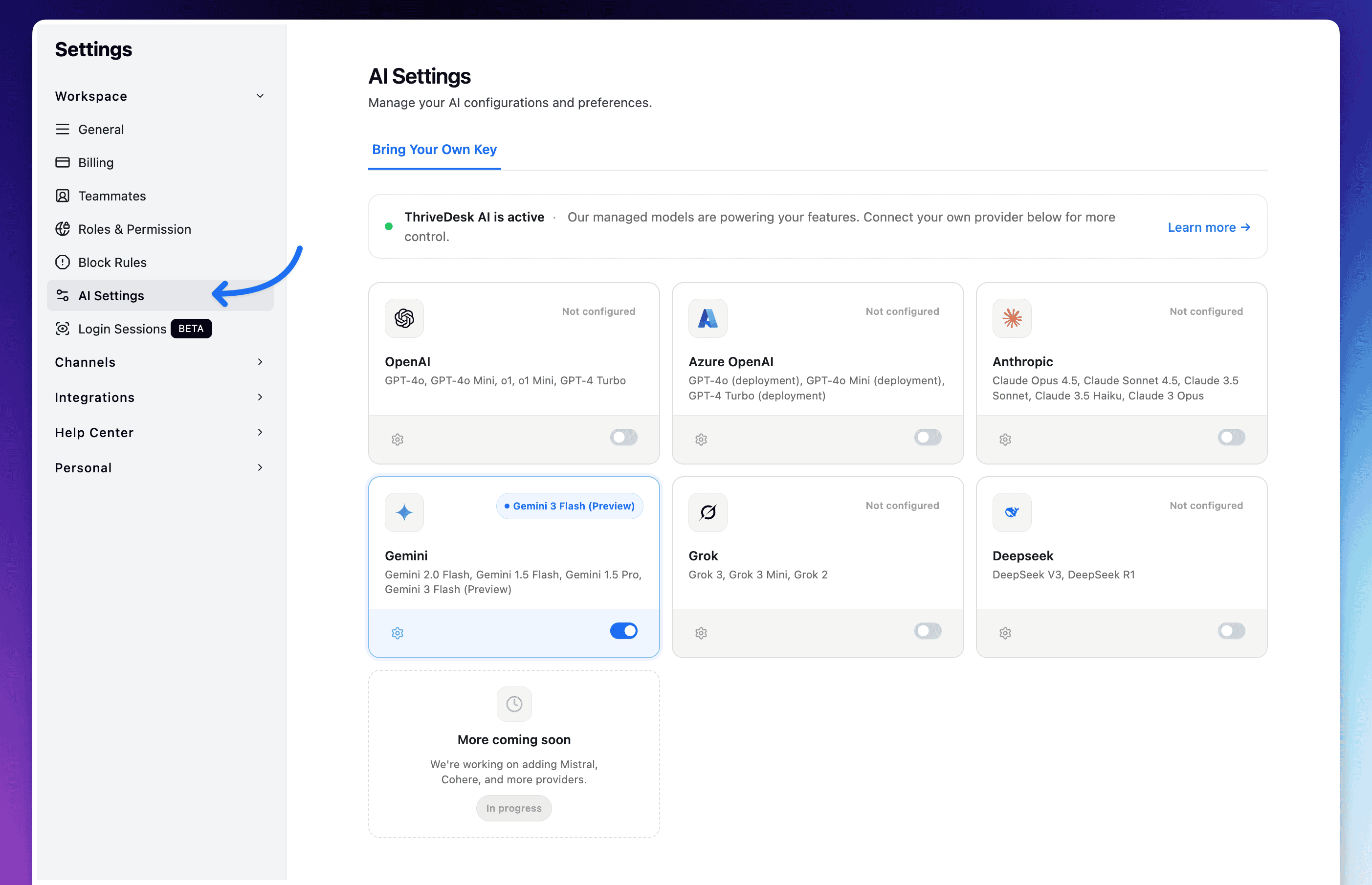
To access the AI settings:
Log in to your ThriveDesk account.
Navigate to Settings from the sidebar.
Click on AI Settings (under the Workspace section).
Select the Bring Your Own Key tab.
Connecting a Provider
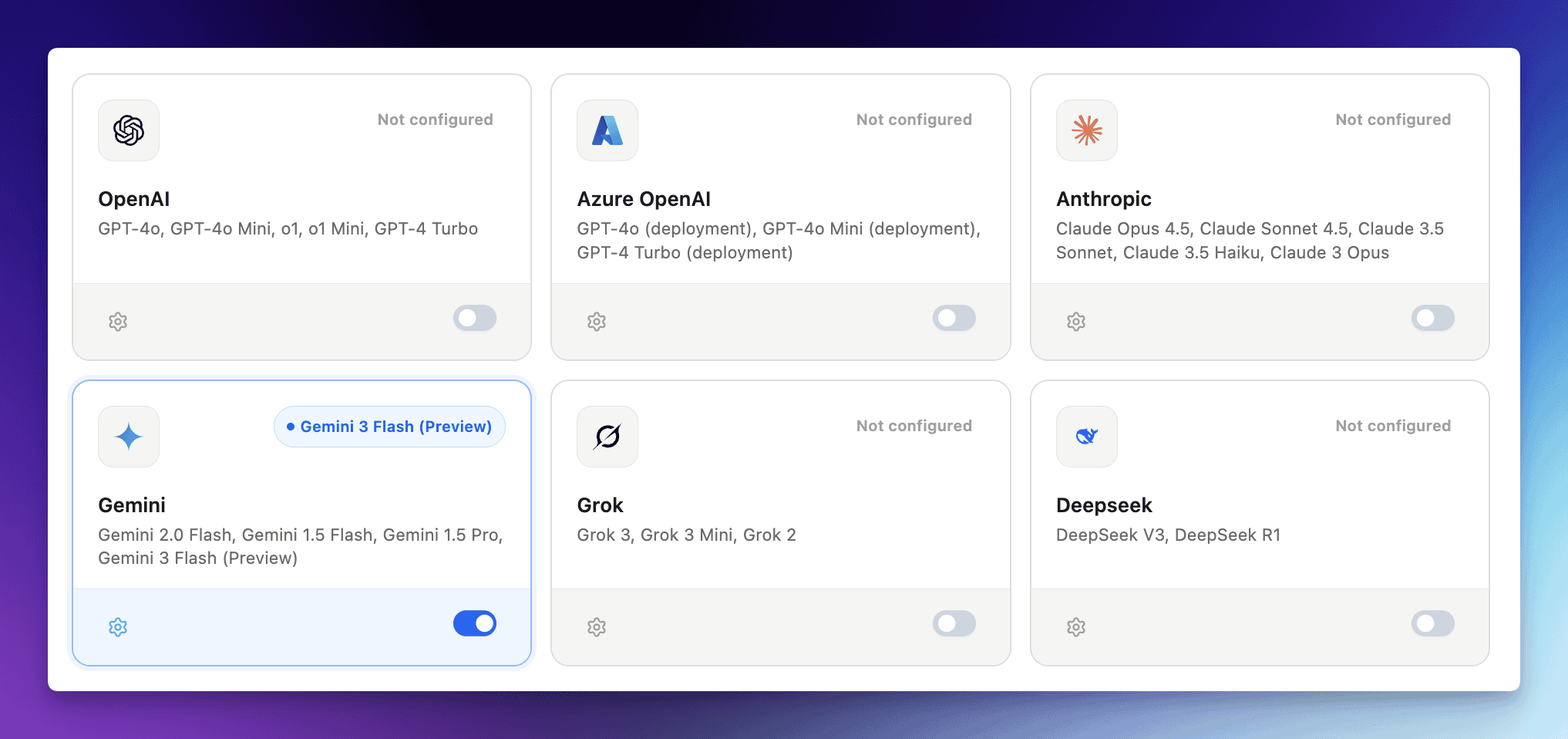
ThriveDesk supports multiple industry-leading AI providers. Connecting a provider is a two-step process:
Add Credentials
Select a Provider: Locate your preferred provider card (e.g., OpenAI, Gemini, Anthropic).
Enter Credentials:
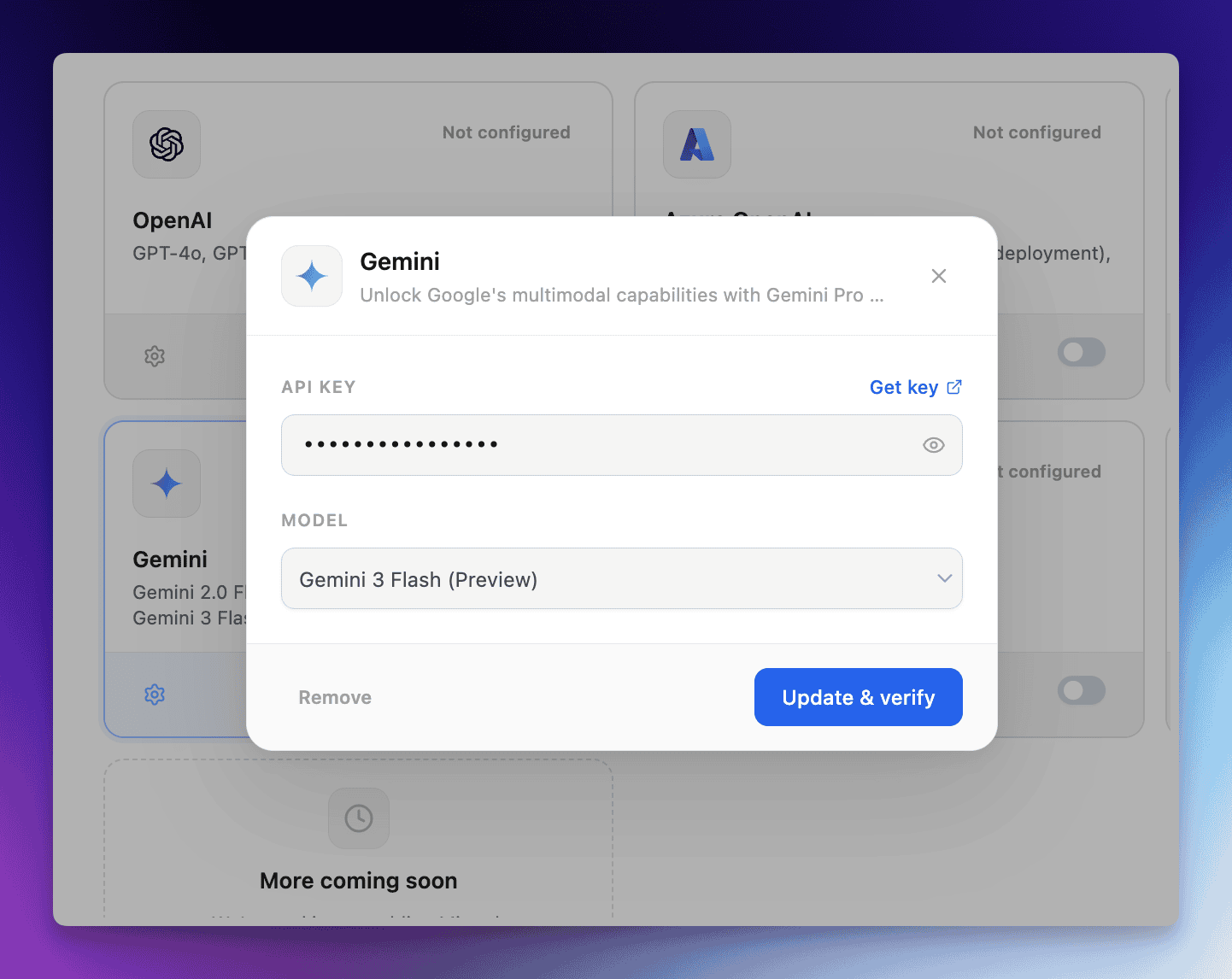
API Key: Paste your secret API key from the provider.
Additional Fields (if required): Some providers like Azure OpenAI require extra information like your Endpoint URL and API Version.
Select a Model: Choose the specific AI model you want to use from the dropdown menu.
Save & Verify: Click the button to save. ThriveDesk will automatically verify that the credentials are valid.
Enable the Provider
Once configured, you must manually enable the provider using the toggle switch on the provider card. Only one custom provider can be active at a time to power your AI features.
Supported Providers & Models
Provider | Popular Models |
|---|---|
OpenAI | GPT-4o, GPT-4 Turbo, GPT-3.5 |
Gemini | Gemini 2.0 Flash, 1.5 Pro |
Anthropic | Claude 3.5 Sonnet, Claude 3 Opus |
Azure OpenAI | GPT-4, GPT-3.5 Turbo |
Grok (xAI) | Grok-3, Grok-2 |
Deepseek | DeepSeek-V3, DeepSeek-R1 |
Managing Your Connections
Toggling Providers: You can quickly enable or disable a provider using the toggle switch.
Switching Models: To change the model for an active provider, click the Settings (gear icon) on the card, select a new model, and save.
Disconnecting: If you no longer wish to use a custom provider, open the configuration and click "Remove".
Frequently Asked Questions (FAQ)
What happens if my API key expires or runs out of credits?
If your custom provider fails (due to invalid keys, expired credits, or service outages), ThriveDesk will send you and email notification. To ensure your team isn't interrupted, ThriveDesk AI (Neo) will automatically start working for your workspace until you update your credentials.
Can I use multiple providers at once?
You can configure multiple providers, but you must choose one active provider to power your AI features at any given time using the toggle switch
Is my API key secure?
Yes. Your keys are encrypted and stored securely. ThriveDesk only used them to process AI requests intialted by your workspace
What happens when all models are disabled?
If you choose to disable all custom providers, or if you hven't enabeld one yet, ThriveDesk AI (Neo) will automatically power your AI features.
How does the token count work?
Whe you use your own API key through BYOK, Thrivedesk charges one AI credit for every action the AI performs. While you still need ThriveDesk AI credits, the credit usage is significantly lower than when using our fully managed models.