

ThriveDesk Assistant is a powerful help widget that lets you offer on-demand Docs, live chat, and an email contact form directly on your site. You can easily add the Assistant to your ThriveDesk Knowledge Base using Custom Code settings, without touching any theme files.
Get the Assistant Embed Code
Create a new Assistant or open an existing Assistant.
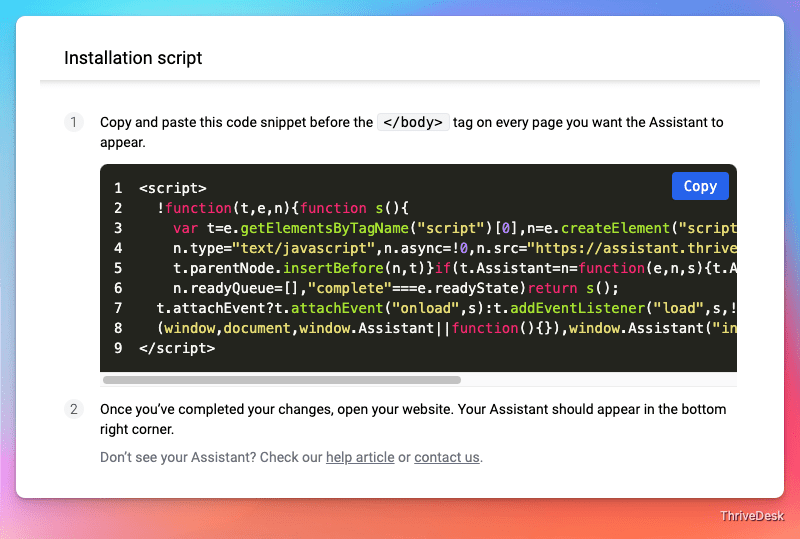
Go to the Installation tab of the Assistant.
Click Copy to copy the embed code to your clipboard.
Paste the Code into Custom Code Settings
Open your Knowledge Base admin panel.
Navigate to Settings → Custom Code, or visit directly: Custom Code
Paste the Assistant embed code inside the section.

Save Changes
Click Save Changes button.
That’s it! The Assistant will now be available on your Knowledge Base.
Advanced Usage
You can further customize and control the Assistant behavior using the Assistant JavaScript API, such as triggering the widget from buttons or opening it programmatically.