

If you have an embedded Shopify app built with React and Shopify Polaris, you can integrate the ThriveDesk Assistant directly into the Shopify admin. This lets merchants access customer support without leaving the admin panel, creating a seamless and uninterrupted support experience inside your app.
Create the Assistant Component
Create a new file Assistant.tsx (or Assistant.jsx if not using JavaScript) in your React project.
Copy the following code into the component:
import { useEffect } from 'react';

interface AssistantInterface {
  (method: 'init', options?: any, defaultOpen?: boolean): void;

  readyQueue?: Array<{
    method: string;
    options?: any;
    data?: any;
  }>;
}
declare global {
  interface Window {
    Assistant?: AssistantInterface;
  }
}


const Assistant = () => {

  const ASSISTANT_ID = "YOUR_ASSISTANT_ID_HERE";

  useEffect(() => {
    // Prevent multiple script injections
    if (window.Assistant) return;

    if (!window.Assistant) {
      window.Assistant = function (method: string, options?: any, data?: any) {
        (window?.Assistant?.readyQueue || []).push({ method, options, data });
      };
      window.Assistant.readyQueue = [];
    }

    // Load the bootloader script
    const script = document.createElement('script');
    script.src = "https://assistant.thrivedesk.com/bootloader.js?" + Date.now();
    script.async = true;
    script.onload = () => {
      // Initialize the Assistant after script loads
      if (window.Assistant) {
        window.Assistant("init", ASSISTANT_ID);
      }
    };

    document.body.appendChild(script);
  }, []);

  return null;
};

export default Assistant;
Add Your Assistant ID
Open your ThriveDesk app, navigate to the Assistant installation page, and copy the Assistant ID.
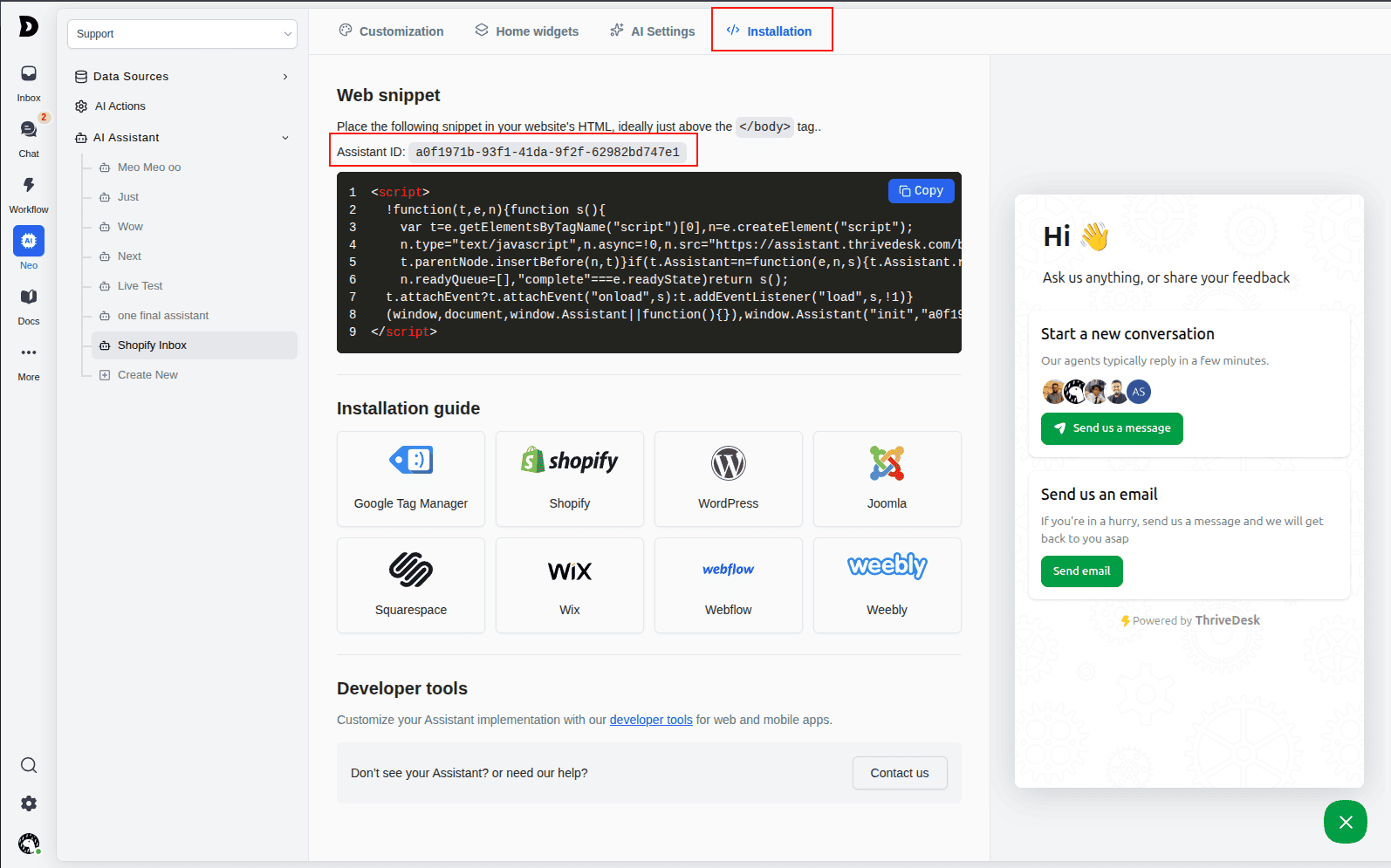
Replace "YOUR_ASSISTANT_ID_HERE" with your actual ThriveDesk Assistant ID in the Assistant.tsx component.
const ASSISTANT_ID = "a0542be2-5a5c-4afd-a5a7-687ae356aa36";Add Component to Your App
Open your app/root.tsx file and import the Assistat component, and add the component inside the body element
<body>
  {/* rest of your content */}
  <Assistant />
</body>
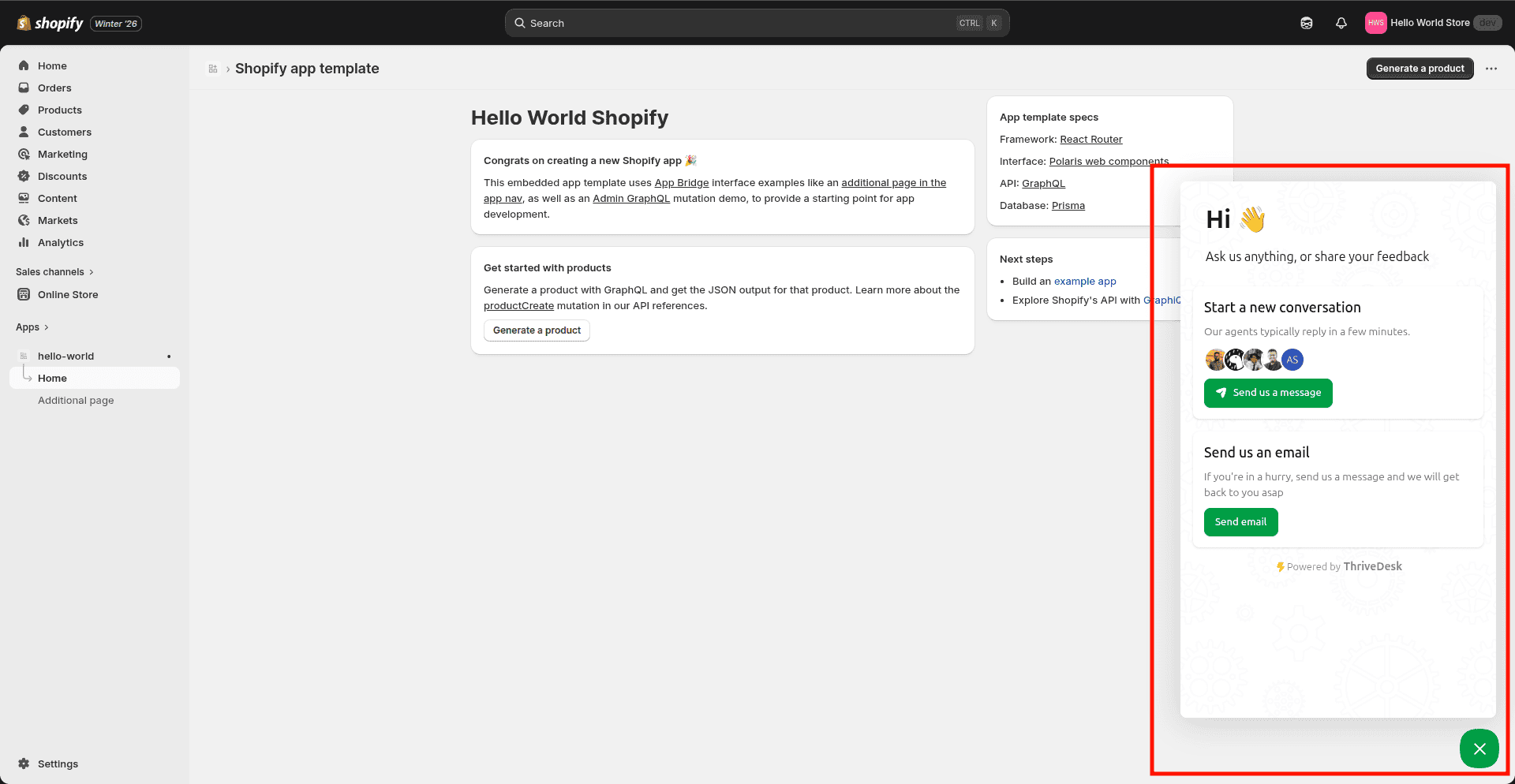
Well, there you have it. Your assistant is inside your Shopify admin. 🎉
Having Issues?
If you encounter any problems during the installation or configuration process, we're here to help. Feel free to reach out to us via email or message, and our support team will quickly resolve any issues you're facing. Your success is our priority, and we're committed to ensuring a smooth integration experience.